How I Got 1M Views in 30 Days With Claude and SocialBu
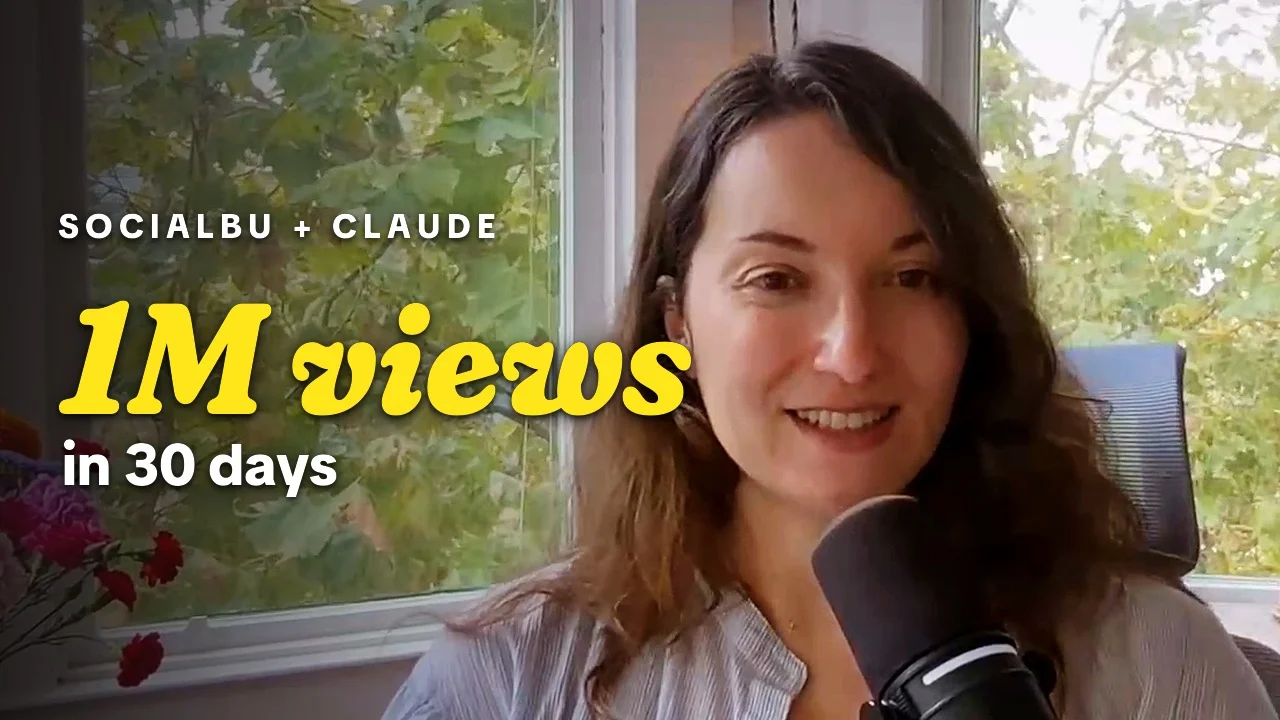
On September 20, the Instagram dashboard for my brand-new account showed 1.1M views for the last 30 days, plus 15.6K new followers. I spent $0 on ads.
I also didn’t spend those 30 days glued to my phone. Almost all of my posting now runs through two tools, SocialBu and Claude, and the written side takes me about an hour every Sunday. Video takes a little more (I still have to sit down and film), but even that is mostly handled once the camera stops.
Below is my full SocialBu and Claude tutorial: the video, then the written version with every setup step, what it costs, and how I use it for written posts and video. Let’s dive in.
The short version: I connect Claude to SocialBu with a custom connector, give Claude my Substack post and drafts once a week, and it writes and schedules posts across LinkedIn, X, Threads, and Instagram, with the link in the first comment. Then SocialBu’s analytics tell me what to post more of.
Watch the SocialBu and Claude Tutorial
Why I Don’t Run Paid Ads
One rule shaped all of this: I don’t run paid ads. I never wanted my income riding on the black box of whether an ad performs this week. Almost everything that has worked for me came from organic traffic, including Make Writing Your Job, which has grown to 55,000+ subscribers over the last three years without a single paid ad.
Social media is a rented billboard. Email is the deed to your own shop. So most of what I schedule points people back to a newsletter, where they’re mine to keep.
What Is SocialBu?
SocialBu is a social media scheduler that publishes to Instagram, TikTok, LinkedIn, Threads, X, YouTube, Pinterest, Bluesky, and more from one queue. It also runs an MCP server, which is the piece that lets Claude schedule posts for you.
Every other scheduler I’ve used made the same thing painfully manual: highlight a passage, copy it, paste it into the scheduler, then rewrite it for every platform’s character limit (280 on X, 500 on Threads, 2,200 on Instagram, 3,000 on LinkedIn). With Claude connected, that whole loop becomes one message, and Claude becomes the social media intern you only pay a subscription for.
It worked fast for us, too. When we first started using SocialBu for Make Writing Your Job, we saw an increase of over 200,000 views on Threads within the first 30 days.
How Much Does SocialBu Cost?
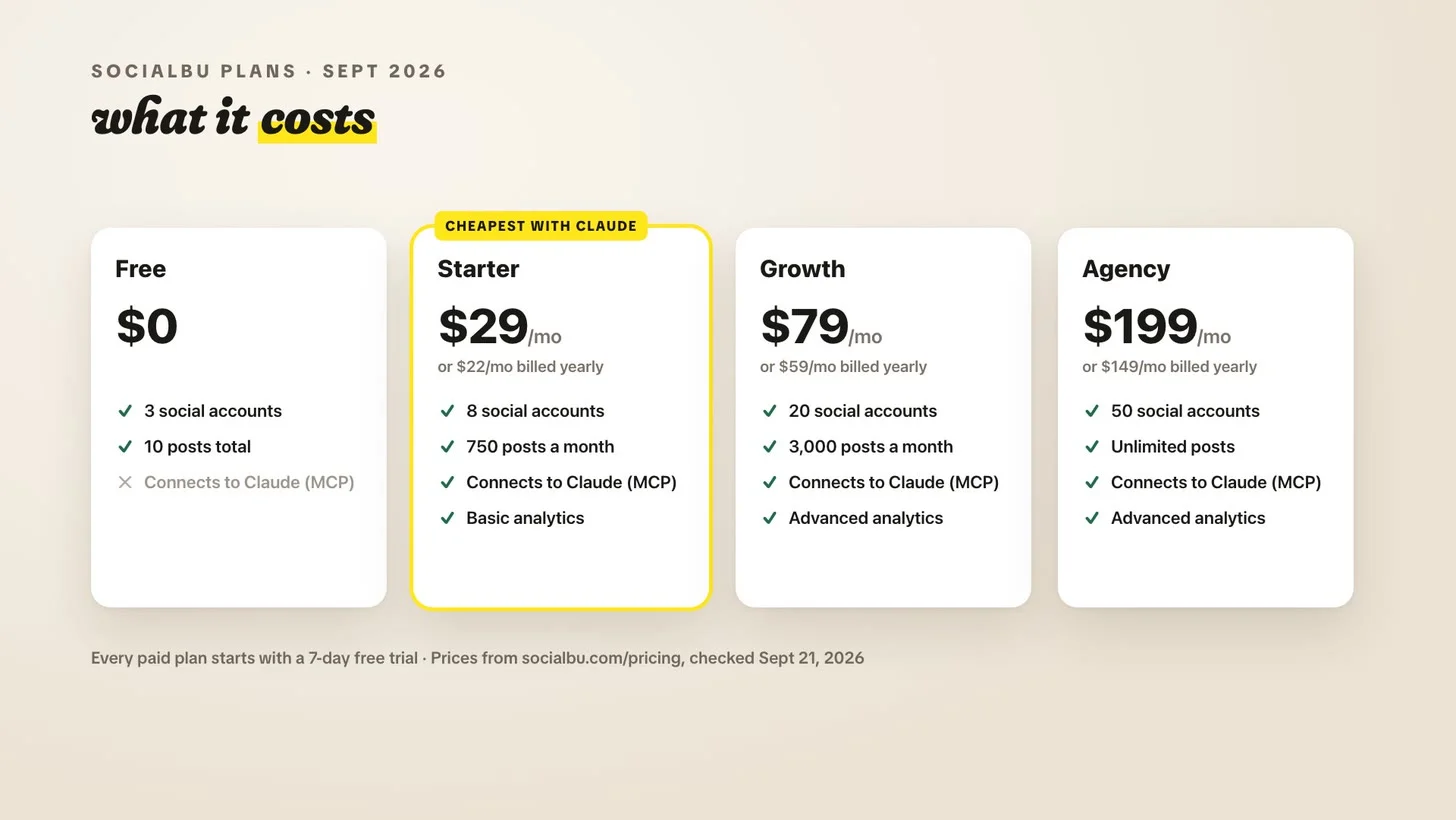
Here are SocialBu’s plans as of September 21, 2026, straight from socialbu.com/pricing:
Free: $0 for 3 social accounts and 10 posts total. It can’t connect to Claude.
Starter: $29/month, or $22/month billed yearly, for 8 accounts and 750 posts a month. It’s the cheapest plan that connects to Claude.
Growth: $79/month, or $59/month billed yearly, for 20 accounts, 3,000 posts a month, and advanced analytics.
Agency: $199/month, or $149/month billed yearly, for 50 accounts and unlimited posts.
Every paid plan starts with a 7-day free trial. Add Claude Pro at $20/month ($17/month billed yearly) and the whole stack runs $49/month, or $39/month billed yearly. One catch before you pick: Starter comes with basic analytics, and SocialBu’s advanced analytics start on Growth.
How to Connect Claude to SocialBu (Claude Connectors, Step by Step)
Connectors are how Claude uses other apps. MCP, short for Model Context Protocol, is the open standard underneath them, and SocialBu’s MCP server is what you add to Claude as a custom connector.
Create a SocialBu account on a paid plan and connect your social accounts inside SocialBu.
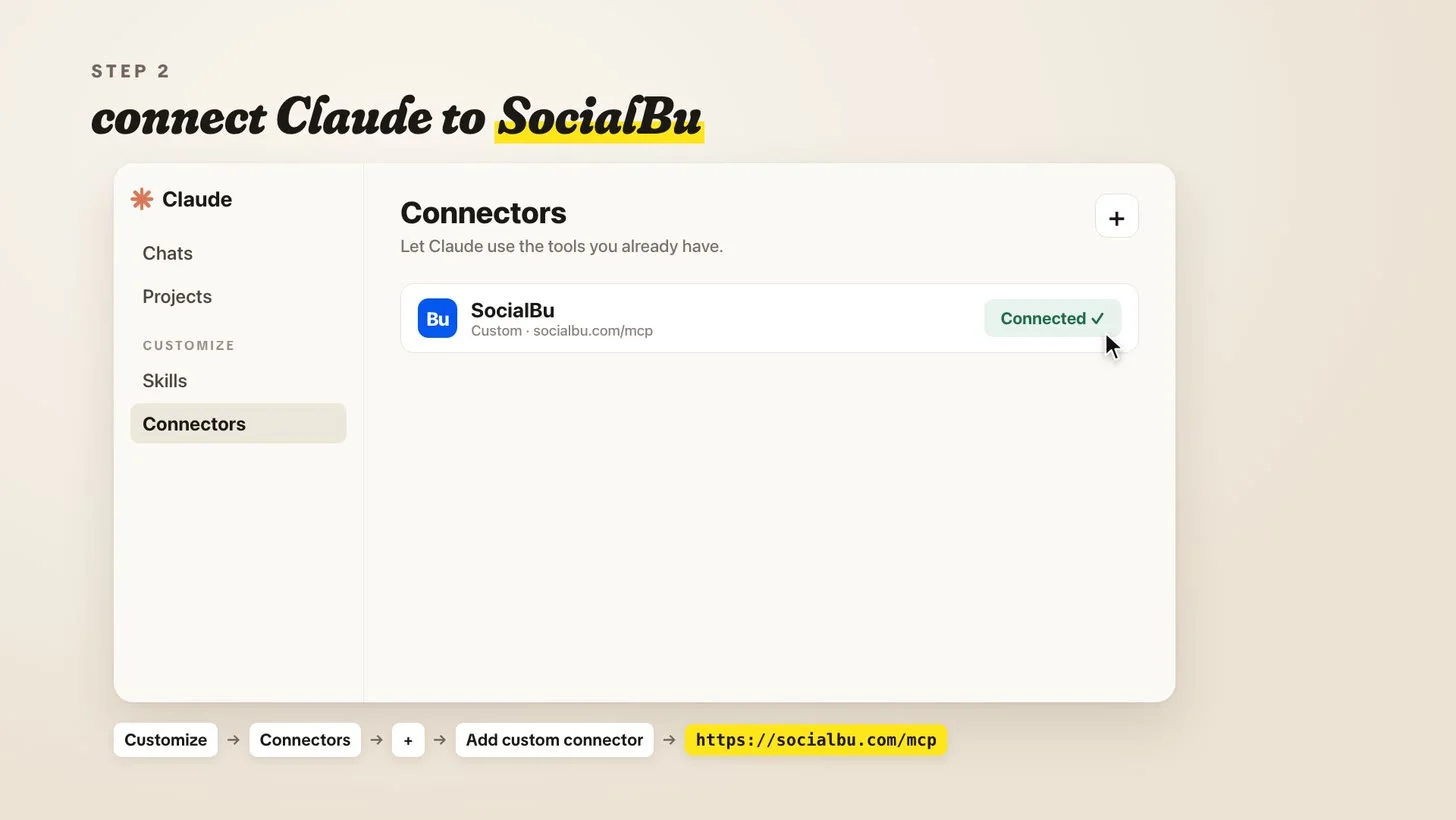
In Claude, open Customize, then Connectors.
Click the + button and choose Add custom connector.
Name it SocialBu and paste in https://socialbu.com/mcp as the remote MCP server URL.
Click Add, then Connect, and authorize your SocialBu account.
In any chat, turn SocialBu on from the + menu at the bottom left, under Connectors.
Claude’s free plan allows one custom connector, so you can test this before paying for anything (here are Claude’s own instructions). Once you’re scheduling every week, upgrade to Claude Pro.
My 1-Hour Sunday Routine for Written Posts
First, I made a Claude project called Social media and filled it with the material I want Claude to pull from: my books, my Substack posts, drafts, anything that sounds like me. If you’d rather write every post yourself, put your finished posts in a doc and hand Claude that instead. It’ll schedule them as written.
Then every Sunday I give Claude the Substack post going out that week, plus whatever drafts or ideas I have, and ask for posts across LinkedIn, X, Threads, and Instagram, timed for after the post goes live, with the link in the first comment. (On LinkedIn, never put a link in the body of a post.) Other schedulers make you add that comment by hand, and some platforms can’t schedule it at all. Claude just does it.
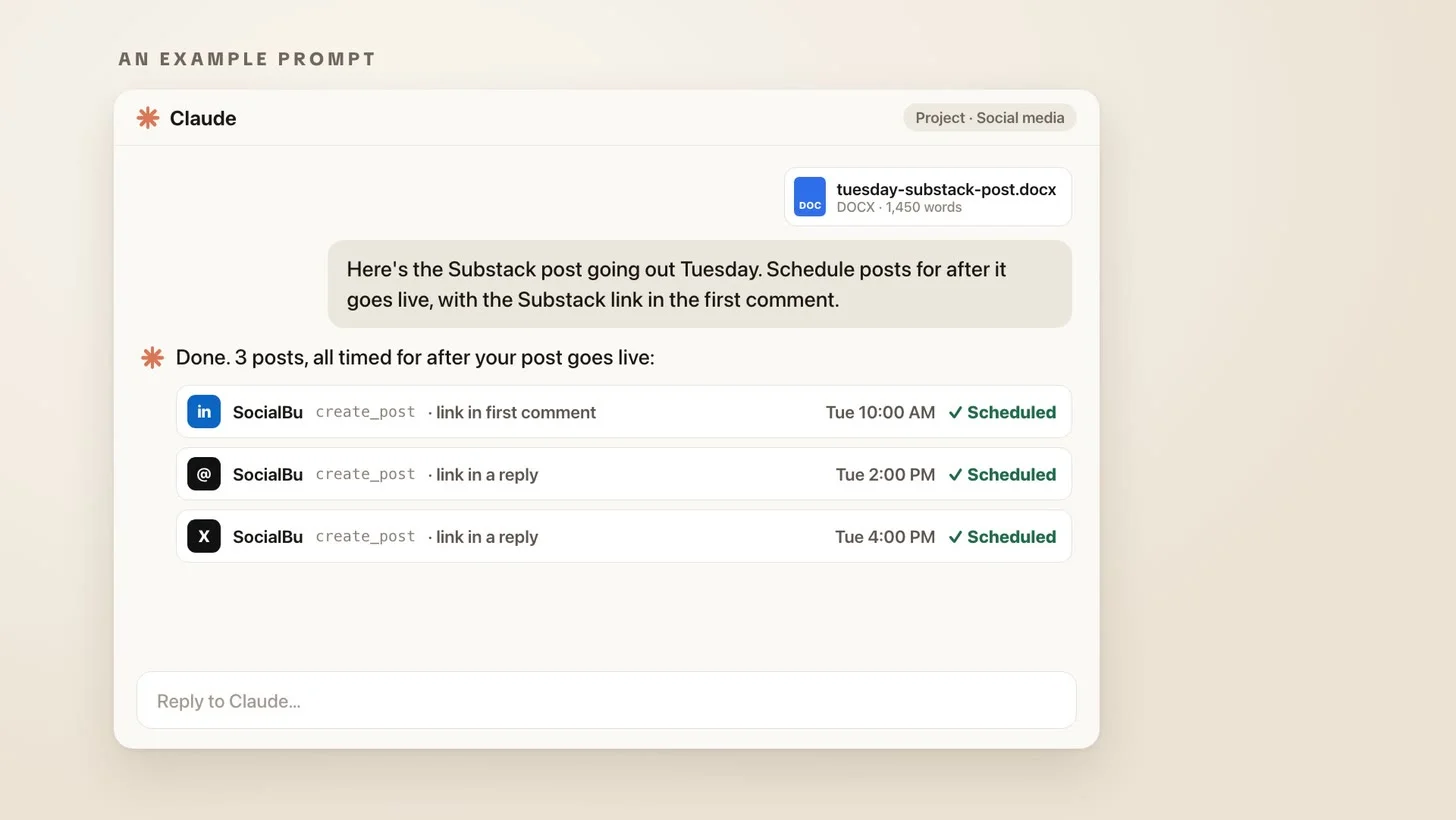
Then I open SocialBu’s scheduled tab and read the week. If a post’s wording is off, I screenshot it, give Claude the screenshot with my changes, and it edits the post right in the queue. Claude is the intern. I’m still the editor.
The whole routine takes an hour on Sunday, maybe less, and it sets up a week of written posts.
What SocialBu’s Analytics Show You
Once your posts go out through SocialBu, it tracks what performs, what flops, and what time of day works on each platform. Threads turned out to be the pickiest about timing, and certain hours there beat others by a mile.
It gets specific with video, too. For one reel on that brand-new account, we ran the same take with two different font treatments. The main reel, with a paper-note title card, reached 3,702 people. The trial reel, with bold cinematic type, reached 16,136, about 4.4 times more (SocialBu’s numbers as of September 21, 2026). Same take, different font.
How I Use Claude and SocialBu for Video
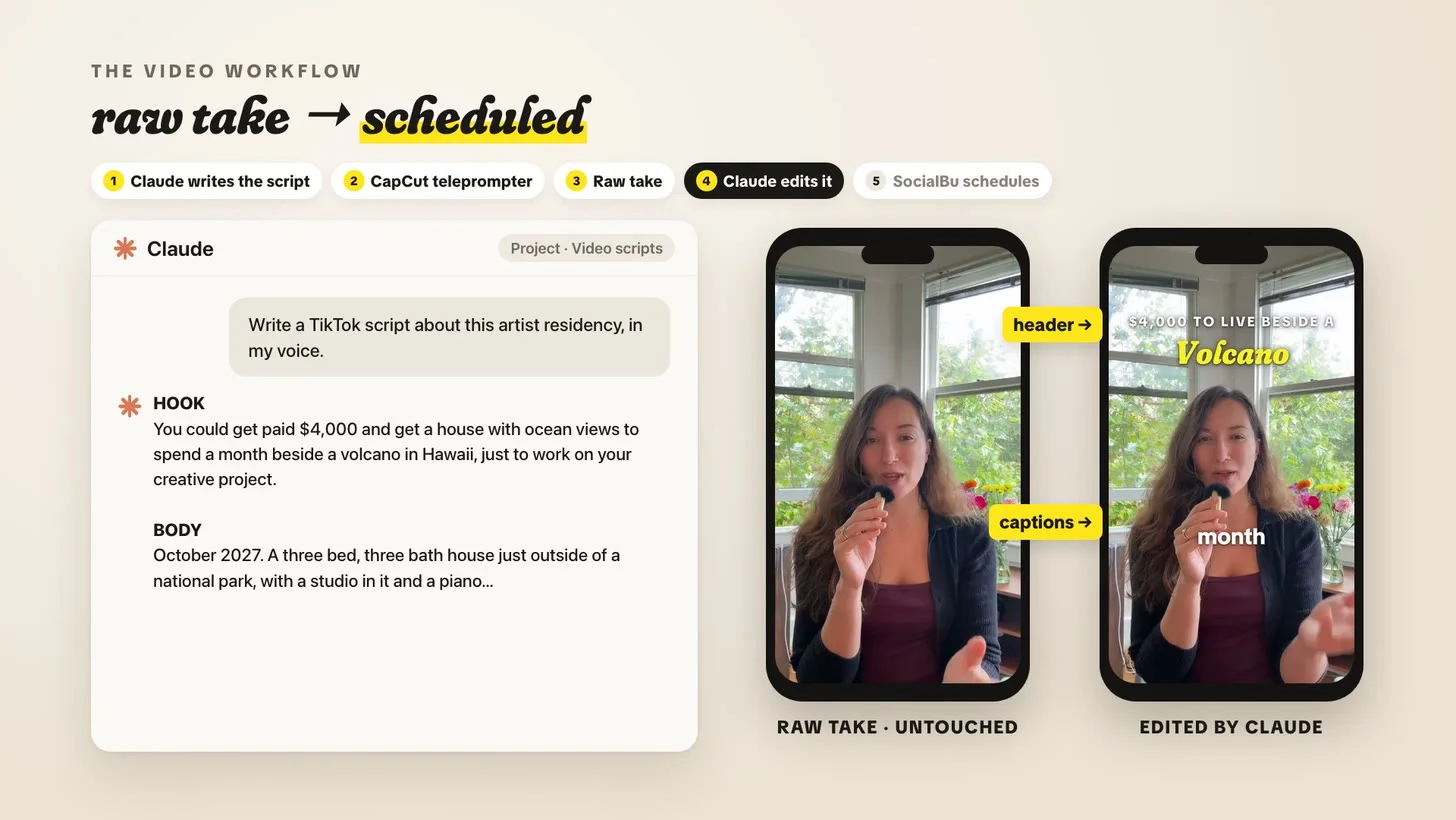
Video is the part a lot of us writers get anxious about, and during a book launch you want your energy on podcasts and launch parties, not on what to say in today’s TikTok about preorders. So I hand most of it off:
Claude drafts TikTok scripts in my voice (or I write them myself).
I read the script off the CapCut teleprompter and film one take.
I give Claude the raw file, untouched, and ask it to add captions and a title header. For this step I use Claude Code in the Claude desktop app, since it can run real video tools on the file.
The finished video goes into SocialBu to schedule, and the analytics show which times and even which fonts win.
What 30 Days Looked Like
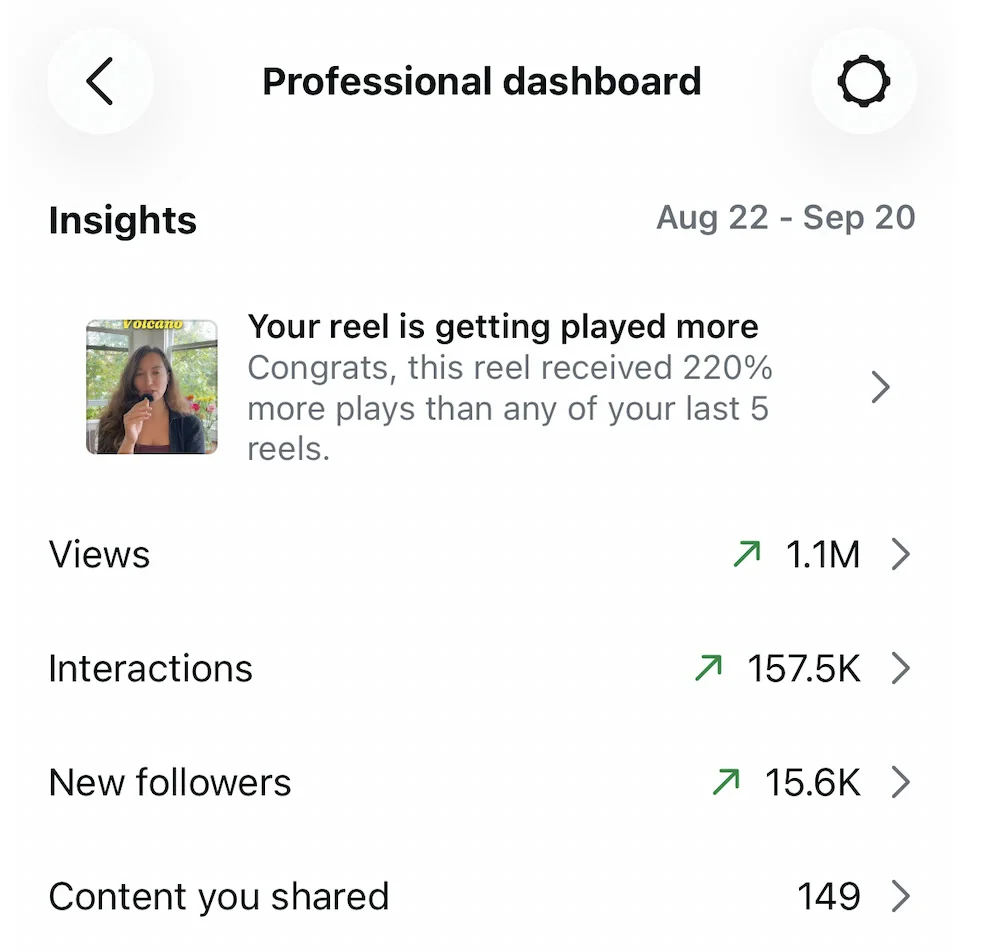
Here’s the Instagram Professional dashboard for my brand-new account, August 22 to September 20, 2026:
1.1M views
157.5K interactions
15.6K new followers
One reel got 220% more plays than any of my last five. I spent $0 on ads, and very little time relative to what came back.
A scheduler can’t make a weak post good. What this setup gave me was consistency: something went out on every platform every day, sometimes several times a day, while I spent my actual hours on the creative work.
If you want the newsletter side of this, I share what’s working every week on my Substack, Sutoscience.
FAQ: SocialBu and Claude
Does SocialBu work with Claude?
Yes. SocialBu runs an MCP server at https://socialbu.com/mcp that you add to Claude as a custom connector. Once it’s on, Claude can create, schedule, and edit posts in your SocialBu queue.
How much does SocialBu cost?
As of September 2026, SocialBu Starter is $29/month, or $22/month billed yearly, and it’s the cheapest plan that connects to Claude. The free plan covers 3 accounts and 10 posts total, with no Claude connection.
Do I need Claude Pro to use connectors?
No. Claude’s free plan allows one custom connector, which is enough to try SocialBu. Once you’re scheduling every week, Claude Pro is $20/month.
What is an MCP server?
An MCP server is how an app plugs into AI assistants. MCP stands for Model Context Protocol, an open standard, and a tool’s MCP server lets Claude use that tool for you, like scheduling a post in SocialBu.
Can Claude post to Instagram and TikTok?
Through SocialBu, yes. Claude hands the post to SocialBu, and SocialBu publishes it to Instagram, TikTok, LinkedIn, Threads, X, and whatever else you’ve connected.
So pick one Sunday, give Claude your best material, and let it do the copy-pasting. Spend the hour you get back on the work only you can make. I’m rooting for you.
More on Growing Your Audience
How to grow a Substack, the playbook behind my newsletter
Substack Notes, and what six months of going all-in did
How to make money on Substack, with my full revenue breakdown
Write for Money and Power, my book on building a creative career you own

Hello! 👋 I’m Amy Suto. I’m a bestselling author, Los Angeles + San Francisco content creator, and co-creator of the job board 🛋️ CozyJobs. Join CozyJobs to browse thousands of jobs and get daily matches to your inbox — writing and creative roles front and center!
WORK WITH ME ON YOUR SUBSTACK
Tell me about your newsletter. I read every note myself, and the first call is free. How it works →
GET ON THE LIST
Find your next writing job on 🛋️ COZYJOBS — thousands of jobs on a board updated daily, writing and creative roles front and center. ✨ The application tracker is free (basic CozyApply autofill is too), and paid plans start at $25/month with daily job matches straight to your inbox. Real writers are landing real work—don’t miss out.
FOLLOW ME ON GOOGLE
Add me as a preferred source and Google shows you more of my posts in Top Stories.

MY NEW BOOK: WRITE FOR MONEY & POWER
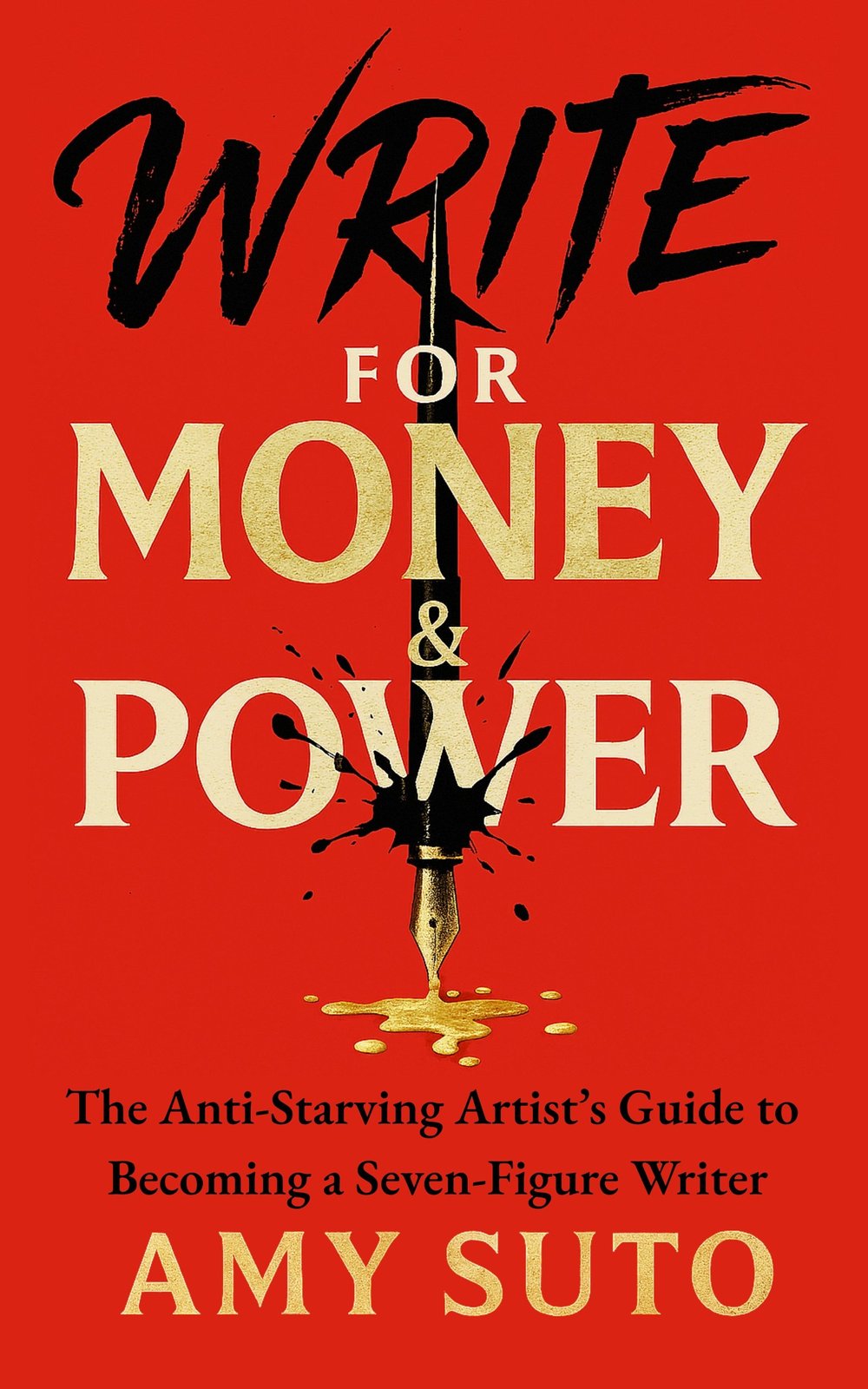
The anti-starving-artist's guide to becoming a seven-figure writer.
MY ROMANTASY NOVEL: THE ASH TRIALS

The deadliest game is remembering who you are.
MY DETECTIVE NOVEL: THE NOMAD DETECTIVE

Crime crosses borders, but so does this detective.
MY HOW-TO BOOK: SIX-FIGURE FREELANCE WRITER
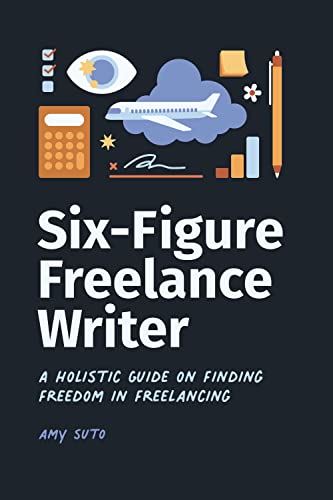
Work smarter, not harder — without the burnout.
RECENT POSTS
JOIN THE WRITING JOB BOARD
FOLLOW ME ON IG @SUTOSCIENCE